# Introduction

<figure><img src="/files/B8HHnllHSyK0Ub2GEZ2Q" alt=""><figcaption></figcaption></figure>

**HiveBuzz** is a project designed to bring gamification to the Hive blockchain by:

* tracking users' activity and achievements
* notifying them of their progress
* organizing contests and challenges
* interacting personally with users

Users receive badges that reward them for being active on the Hive blockchain or for participating in contests, challenges, meetups, and other Hive-related initiatives.

**HiveBuzz** monitors your activity on the Hive blockchain and buzz you when you reach some predefined thresholds. Moreover, you can earn and collect awesome badges that you will be able to show to your friends and family.

HiveBuzz is currently composed of 4 main components:

* The [**HiveBuzz Board**](/board)\
  A dashboard where users can view their badges and track their progress on the blockchain.
* The [**HiveBuzz Ranking**](/ranking)\
  A tool that allows users to compare their performance to others or quickly get information about other users.
* The [**HiveBuzz Shop**](/shop)\
  Our web store, where you can order personalized items.
* The [**HiveBuzz API**](/api)\
  A tool that allows developers to integrate HiveBuzz into their applications.<br>


# Board

Go to [**https://hivebuzz.me**](https://hivebuzz.me/)

![](https://images.hive.blog/0x0/https://i.imgur.com/1CIokkA.png)

Enter your username (or the username of any user whom you want to see the board) and hit \<ENTER> `or` click on the small search glass.

This will bring you to a user page with two sections.


# Statistics

The top of the page displays some statistics about your account.

![](https://images.hive.blog/0x0/https://i.imgur.com/WwNjbwX.png)

## 1. Account level <a href="#h11accountlevel" id="h11accountlevel"></a>

On the left side, you will see a marine character representing your current level given the number of **VESTS** you own. It is displayed in the banner below your character.

{% hint style="info" %}
**VESTS** are the blockchain internal representation of your **Hive Power**.

HiveBuzz monitors VESTS instead of HP because VESTS do not vary when accounts are not involved in blockchain operations while the displayed Hive Power balance may change because of HIVE inflation.
{% endhint %}

**The Hive ecosystem**

In the crypto sphere, "Whales" is a well-known term used for dolphin people with a lot of money. They are called this because they can influence the price of a token by massively buying or selling cryptos.

Hive adopted this marine terminology while giving it a wider dimension. This is why you will see the cohabitation of several marine species corresponding to their financial commitment to the platform.

![](https://images.hive.blog/0x0/https://i.imgur.com/yXOxMlk.png)

Let's have a look at the requirements for each level:

<table><thead><tr><th width="144.33333333333331"></th><th width="122">Status</th><th>You own</th></tr></thead><tbody><tr><td><img src="https://images.hive.blog/80x80/https://i.imgur.com/07oyhz7.png" alt=""></td><td>Redfish</td><td>If you own between 0 and 999 999 VESTS, you are considered a Redfish</td></tr><tr><td><img src="https://images.hive.blog/80x80/https://i.imgur.com/CAwC9ve.png" alt=""></td><td>Minnow</td><td>If you own between 1 000 000 and 9 999 999 VESTS, you are considered a Minnow</td></tr><tr><td><img src="https://images.hive.blog/80x80/https://i.imgur.com/M0td3gM.png" alt=""></td><td>Dolphin</td><td>If you own between 10 000 000 and 99 999 999 VESTS, you are considered a Dolphin</td></tr><tr><td><img src="https://images.hive.blog/80x80/https://i.imgur.com/gx95mBI.png" alt=""></td><td>Orca</td><td>If you own between 100 000 000 and 999 999 999 VESTS, you are considered an Orca</td></tr><tr><td><img src="https://images.hive.blog/80x80/https://i.imgur.com/BKis7Pc.png" alt=""></td><td>Whale</td><td>If you own more than 1 000 000 000 VESTS, you are considered a Whale</td></tr></tbody></table>

#### Better to stay active! <a href="#bettertostayactive" id="bettertostayactive"></a>

Maybe you feel proud of yourself and love to show people that you are a growing minnow, a happy dolphin, a respected orca, a venerable whale … that's so cooool...

But the ocean is merciless and a moment of slackening can be fatal!

**Don’t become a Dead Fish**

![](https://images.hive.blog/0x0/https://i.imgur.com/S1UI3ge.png)

If you are inactive on the blockchain for **more than 30 days**, HiveBuzz will transform you immediately into a dead fish, regardless of your current level!

Inactive means that you have not performed any operation on the Hive blockchain.

**A magic wand**

Fortunately, this status is not irreversible, and HiveBuzz can also bring you back to life instantly. As soon as you broadcast one operation on the blockchain, you will be able to shine again in front of everybody.

## 2. Activity Summary <a href="#h12activitysummary" id="h12activitysummary"></a>

![](https://images.hive.blog/0x0/https://i.imgur.com/WwNjbwX.png)

On the right side, you have:

* The number of posts you have published
* The number of comments you have made on other users' posts
* The average number of votes you have received per post
* The total of author rewards you got for publishing posts (in Hive Power)
* The average author rewards you got for published posts (in Hive Power)
* The total of curation rewards you got for accurately voting quality posts (in Hive Power)


# Badges

The second part of your board is all about your achievements on Hive, divided into activity & personal achievements and attended meetups.

In all of them, you can see the badges you earned, the ones still locked, and the ones you missed cannot be unlocked anymore.

Badges can have a different status as explained below:

|                                                                       |                                                                                                                                                       |
| --------------------------------------------------------------------- | ----------------------------------------------------------------------------------------------------------------------------------------------------- |
| ![](https://images.hive.blog/125x125/https://i.imgur.com/3H6LdR8.png) | When the badge has a red lock on it, it means you still don’t own the badge and have to perform some actions or match some criteria to make it yours. |
| ![](https://images.hive.blog/125x125/https://i.imgur.com/JUFePyx.png) | If your badge is colored, then you're all good. Congratulations, this badge is yours!                                                                 |
| ![](https://images.hive.blog/125x125/https://i.imgur.com/aelPsUr.png) | When the badge has a white lock on it, it means that you definitely missed it and can no more unlock it. We are so sorry for you!                     |

If you want more information about a badge, you can click on it. This will display a pop-up window with a complete description of the badge and the number of users who have successfully obtained it.

![](https://images.hive.blog/0x0/https://i.imgur.com/DzXS4nX.png)

Do you want to know who else got this badge? Click the "show users" link to open a list of all owners. You can even click on any user's name to jump to their board.

![](https://images.hive.blog/0x0/https://i.imgur.com/J00ie28.png)


# Activity Badges

As the name already reveals, the activity section is all about your actions on Hive, such as posts, comments, upvotes given and received, payouts and replies. It displays the badges you have collected by being active on Hive.

![](https://images.hive.blog/0x0/https://i.imgur.com/JaB7j1a.jpg)

As you can see, some badges are locked, and others are not. For new users, they all will be locked. You will have to work a bit to unlock them.

### **How to unlock activity badges?**

Unlocking the **first badge line** is quite easy for any new user. You will have to complete the following tasks:

* To write your first post
* To write your first comment
* To upvote someone else's post or comment
* To collect some payout for your own post(s)
* To have people reply to your posts or comments
* To have someone else upvote one of your posts or comments

Not too hard, isn't it?

**On the second row of badges**, the level of activities carried out for each type of action will be displayed. At first, the required threshold will be easy to reach. But you will find that the next steps will become harder over time.

**The next two rows of badges** are where it gets more tricky. This is where you can really stand out from other users as they will show how committed and valued you are by your fellow Hivers. More on this later in this post.

\
![](https://images.hive.blog/125x125/https://i.imgur.com/mJPXUGp.png)![](https://images.hive.blog/125x125/https://i.imgur.com/t6f7IMT.png)![](https://images.hive.blog/125x125/https://i.imgur.com/89mhgcq.png)<br>

Once you unlocked the badge, the number on the top left tag will indicate the number of times you succeeded to achieve this objective.

### **Daily Ranking**

<table data-header-hidden><thead><tr><th width="180"></th><th></th></tr></thead><tbody><tr><td><img src="https://images.hive.blog/100x100/https://i.imgur.com/0KOyTdJ.png" alt=""></td><td><strong>Daily Top Upvoted</strong><br>Write the best post of the day and get it the most voted.<br>If you succeed to be in pole position, this badge will be yours.<br>This badge rewards posts only. It is a rare badge, which is attributed only once per day for a single author.</td></tr><tr><td><img src="https://images.hive.blog/100x100/https://i.imgur.com/cObXguB.png" alt=""></td><td><strong>Daily Top Commented</strong><br>Make sure that your post generates an interesting discussion and encourages interaction between the users of the voice. The more reactions on your post, the best.<br>If you succeed to be in pole position, this badge will be yours.<br>This badge is related to posts only. It is a rare badge, which is attributed only once per day for a single author.</td></tr><tr><td><img src="https://images.hive.blog/100x100/https://i.imgur.com/hYXHpdq.png" alt=""></td><td><strong>Daily Top Payout</strong><br>Write the best post of the day and get the biggest reward out of it.<br>If you succeed to be in pole position, this badge will be yours.<br>This badge is related to posts only. It is a rare badge, which is attributed only once per day for a single author.</td></tr></tbody></table>

### **Weekly Ranking**

<table data-header-hidden><thead><tr><th width="181"></th><th></th></tr></thead><tbody><tr><td><img src="https://images.hive.blog/100x100/https://i.imgur.com/xW6oy2W.png" alt=""></td><td><strong>Weekly Top Upvoted</strong><br>Write the best post of the week and get it the most voted.<br>If you succeed to be in pole position for the entire week, this badge will be yours.<br>This badge rewards posts published between Monday 00:00 and Sunday at 24:00 (UTC).<br>It is a <strong>very</strong> rare badge, which is attributed only once per week for a single author.</td></tr><tr><td><img src="https://images.hive.blog/100x100/https://i.imgur.com/D7dadqu.png" alt=""></td><td><strong>Weekly Top Commented</strong><br>Make sure that your post generates an interesting discussion and encourages interaction between the users of the voice. The more reactions on your post, the best.<br>If you succeed to be in pole position for the entire week, this badge will be yours.<br>This badge rewards posts published between Monday 00:00 and Sunday at 24:00(UTC).<br>It is a <strong>very</strong> rare badge, which is attributed only once per week for a single author.</td></tr><tr><td><img src="https://images.hive.blog/100x100/https://i.imgur.com/jOQTZeX.png" alt=""></td><td><strong>Weekly Top Payout</strong><br>Write the best post of the week and get the biggest reward out of it. If you succeed to be in pole position, this badge will be yours.<br>This badge rewards posts published between Monday 00:00 and Sunday at 24:00 (UTC).<br>It is a <strong>very</strong> rare badge, which is attributed only once per week for a single author.</td></tr></tbody></table>

### **Regular Author**

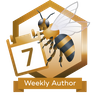
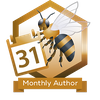
<table data-header-hidden><thead><tr><th width="183"></th><th></th></tr></thead><tbody><tr><td><img src="https://images.hive.blog/100x100/https://i.imgur.com/t7qp9Gi.png" alt=""></td><td>Each time you publish a post on <strong>each day of the week</strong>, you will receive this badge.<br>HiveBuzz weeks begin on <strong>Monday at 00:00:00 UTC</strong> and end on <strong>Sunday at 23:59:59 UTC</strong>. They are not date-to-date weeks.<br>If you miss one post on one day, you will miss this weekly badge and you will have to wait for the next Monday to retry to catch this badge.</td></tr><tr><td><img src="https://images.hive.blog/100x100/https://i.imgur.com/8Rk1dYg.png" alt=""></td><td>Each time you publish a post for <strong>each day of the month</strong>, you will receive this badge.<br>HiveBuzz months begin on the <strong>first of the month at 00:00:00 UTC</strong> and end on the <strong>last day of the month at 23:59:59 UTC</strong> (like on calendars). They are not date-to-date months.<br>If you miss one post on one day, you will miss this monthly badge and you will have to wait for the next month to retry to catch this badge.</td></tr><tr><td><img src="https://images.hive.blog/100x100/https://files.peakd.com/file/peakd-hive/hivebuzz/AJoKCU2YW4tjGsxUa8CC9WyeG5p53RgSbyhE4KdjkL8qdPqozchQaShppY8FFP5.png" alt=""></td><td>Each time you publish a post for <strong>each day of the year</strong>, you will receive this badge.<br>HiveBuzz years begin on the <strong>first of the year00:00:00 UTC</strong> and end on the <strong>last day of the year at 23:59:59 UTC</strong>. They are not date-to-date years.<br>If you miss one post on one day, you will miss this yearly badge and you will have to wait for the next year to retry to catch this badge.</td></tr></tbody></table>

#### The ISO and UTC drama <a href="#theisoandutcdrama" id="theisoandutcdrama"></a>

To find out if you are entitled to receive a Weekly Author badge, Hivebuzz uses [ISO week dates](https://en.wikipedia.org/wiki/ISO_week_date) for weekdays, meaning a week **begins on Monday** and **ends on Sunday**!

Furthermore, to validate when you published your post, HiveBuzz uses the time of the blockchain which is UTC ([Coordinated Universal Time](https://en.wikipedia.org/wiki/Coordinated_Universal_Time))!

If you post at the wrong time, i.e. taking into account your local time or way of considering weeks, you may miss both badges and will have to wait till the next Monday or month to be able to earn your coveted badge.

These particularities in the validation rules have led to many users contacting us to ask us why they have not received their badges.

To help authors know if they're still on track to earn their awards, we've added progress indicators below the regular author badges:

![](https://images.hive.blog/0x0/https://i.imgur.com/wHMs2Kh.png)

They will let you know how many days you published a post this week, month, or year.

If the gauge is green, it indicates that you are on your way to earning the badge.\
If the gauge is red, it means you missed one or more days of the week or month, or you still haven't posted today.

In the above example (picture taken on Sunday 20th of the month), the user has successfully posted every day of the running week but unfortunately failed to post more than 10 days since the beginning of the month. They will get one more Weekly Author badge, raising its score to 144, but won't get the Monthly Author badge at the end of the month.

#### **Next Steps Badges**

To see how far away the next awards for your activities are, you can scroll down to the last section. Here you see what you have to do to reach the next level.

![](https://images.hive.blog/0x0/https://i.imgur.com/fe9kVFS.png)

It will display your next thresholds, but also how far you are from reaching them. If you want more details about it, click on a badge to display an informative pop-up.

**Next Badge information**

If you want to know which task(s) you have to accomplish to earn a badge, just click on it and a pop-up window will appear with all the information you need.

![](https://images.hive.blog/0x0/https://i.imgur.com/pcTufda.png)

In this pop-up, you will see your next target as well as your current status and the number of operations that you still need to perform to unlock the badge.

The goal is to keep being active, to be proud of your accomplishments and if you want, make a competition out of it with your friends or within your community. Then you can check at the Ranking, who is right before you or chasing you and it gets super exciting... but more about that later.


# Personal Badges

![](https://images.hive.blog/0x0/https://i.imgur.com/Zvec5La.png)

Personal badges are special badges that will be allocated to a restricted number of users and under specific conditions.

One example is the “Witness Support” badge, which will be allocated only to people actively supporting our [witness](https://peakd.com/steemitboard/@steemitboard/http-i-cubeupload-com-7ciqeo-png) (currently [@steemitboard](https://peakd.com/@steemitboard)).

Sometimes, it will happen that you are the only one to own such specific badges.

![](https://images.hive.blog/0x0/https://i.imgur.com/EF46G8T.png)

As usual, you can click on a badge to get all the details about it, how to get it if it's not unlocked yet and how many users own it.


# Meetup Badges

![](https://images.hive.blog/0x0/https://i.imgur.com/5pYn5mw.jpg)

This is the part, where you can check which meetups were already attended and who else was there.

It is mostly about HiveFest and local meetups all over the world.

Just as with the personal badges, some of the meetup badges can still be achieved and some are in the past.

You either earned it - congratulations!\
or missed it - so sorry for you! hopefully, we see you at the next event!

**Note: If you are a meetup organized, feel free to contact us to create your own meetup badge.**


# Sharing your badges

[**HiveBuzz**](https://hivebuzz.me/) is cool because you have **your own dashboard and badges**, automatically generated and updated as long as you are active on Hive.

Each activity badge has a **unique** and **permanent** URL that you can reuse anywhere.

* ***Unique***\
  The badge is created for you, only YOU!
* ***Permanent***\
  Even if your badge level changes, because you have reached your goal, the URL address of the badge **will always stay the same**.

[**HiveBuzz**](https://hivebuzz.me/) provides high-resolution badges.

![](https://images.hive.blog/50x50/https://i.imgur.com/7B2Zizg.png) ![](https://images.hive.blog/60x60/https://i.imgur.com/7B2Zizg.png) ![](https://images.hive.blog/70x70/https://i.imgur.com/7B2Zizg.png) ![](https://images.hive.blog/80x80/https://i.imgur.com/7B2Zizg.png) ![](https://images.hive.blog/90x90/https://i.imgur.com/7B2Zizg.png) ![](https://images.hive.blog/100x100/https://i.imgur.com/7B2Zizg.png) ![](https://images.hive.blog/110x110/https://i.imgur.com/7B2Zizg.png) ![](https://images.hive.blog/120x120/https://i.imgur.com/7B2Zizg.png)

If you want to customize the size of your badges (because you want to display more badges on the same line, for example), just add the following text before the URL of your badge:

`https://images.hive.blog/[witdh]x[height]/`

where you replace **\[width]** and **\[heigth]** with the size (in pixels) you want.


# Notifications

[HiveBuzz](https://hivebuzz.me/) will now notify when you get a new badge.

As soon as you receive one or more new badge(s), HiveBuzz will drop a notification comment on your last post or comment (to be able to receive notifications, you need to have published at least one of them).

### 1. Level notifications <a href="#h1levelnotifications" id="h1levelnotifications"></a>

Wouldn’t it be cool to know when you are no longer a small redfish and you proudly become a minnow, a dolphin, an orca, or even a whale?

HiveBuzz will notify when your level change, whether because you grew up or unfortunately when it decreases (hey… why did you started a powerdown?!)

Here is an example of the notification you will receive when raising your level...\
![](https://images.hive.blog/0x0/https://i.imgur.com/HmDHNIs.png)

... or when your level goes down\
![](https://images.hive.blog/0x0/https://i.imgur.com/ErkD2qh.png)

### 2. First step notifications <a href="#h2firststepnotifications" id="h2firststepnotifications"></a>

These notifications are issued when the users perform their first operation on the blockchain (upvote, post, comment) or receive something for the first time (upvote, reply, payout)

*example:*\
![](https://images.hive.blog/0x0/https://i.imgur.com/PETycuS.png)

#### 3. Achievements notifications <a href="#h3achievementsnotifications" id="h3achievementsnotifications"></a>

Achievement notifications are issued each time you reach an important milestone. These relate to the operations you performed on the blockchain (upvote, post, comment) or performed by others or by the system involving you (upvote, reply, payout)

HiveBuzz provides you with a detailed description of the milestones you have reached and what you must now accomplish to take the next step.

*example:*

![](https://images.hive.blog/0x0/https://i.imgur.com/Yw3Mwhl.png)

**The further you go, the more difficult it becomes!**

Beginners will receive more notifications than Hive veterans. This is because the levels of achievement required to get a new badge are lower at the beginning. Step by step, it becomes a bit more difficult to reach the next level and the time between notifications will increases.

This has been set up to incentivize newcomers and in return avoid spamming regular authors with non-stop notifications.

If you don’t want to receive these notifications, it is easy: just reply to any notification with the word “STOP” (and nothing more). HiveBuzz will never send you any notification again.

### 4. Personal notifications <a href="#h4personalnotifications" id="h4personalnotifications"></a>

Personal notifications are issued when you receive a particular badge or a community badge. These badges are displayed in the "personal" tab of your board on [HiveBuzz](https://hivebuzz.me/)

*examples:*

![](https://images.hive.blog/0x0/https://i.imgur.com/tgUGMPA.png)\
![](https://images.hive.blog/0x0/https://i.imgur.com/zW515My.png)


# Hive Tour

<figure><img src="/files/dHsX1iw8RD2SPlrI0ujM" alt=""><figcaption></figcaption></figure>

It's no secret that onboarding users is one of the keys to Hive's success. But newcomers can feel a bit lost at the beginning of their journey.

We thought a step-by-step tour of the Hive ecosystem was needed to show new users each feature, and familiarize them with the way our blockchain operates in a more interactive fashion.

This is why we've put together a new feature on our HiveBuzz site, to guide them in a fun and helpful way.

The Hive Tour is accessible on your board at [https://hivebuzz.me](https://hivebuzz.me/)

![](https://images.hive.blog/0x0/https://i.imgur.com/hy1qhP7.png)

#### How is the tour organized? <a href="#howisthetourorganized" id="howisthetourorganized"></a>

On the left side, you have a tree with all the "Stages" and "Steps" to be completed.

On the right side, there is a panel with the description of the item you've selected.

> **Note:** If you are on mobile, click on the small question mark that appears next to each item and a popup with the description will be displayed.

**Stages are a group of steps**

![](https://images.hive.blog/0x0/https://i.imgur.com/Tx8KceY.png)

In this example, this stage contains 3 steps, and none of them have been completed.

A step can be either:

* **active**, meaning you can accomplish it whenever you want
* **locked**, because you need to accomplish other stages before

In the above screenshot, the first one is activated and waiting for you to be completed. The second one is locked because you have to complete the previous one before it can be accessed. Same for the third one, which requires the two previous stages to be completed.

![](https://images.hive.blog/0x0/https://i.imgur.com/L6UNKVZ.png)

Each completed step will appear green and checked. When the whole stage is completed, it will turn green as well.

![](https://images.hive.blog/0x0/https://i.imgur.com/tncXc2s.png)

If a stage is partially completed, it will show you how many steps are left undone

**NOTE:** HiveBuzz doesn't process achievements in real-time. It does its work of collecting data and **updating your steps and stages every hour**. This should not prevent you from continuing to interact with the blockchain and complete other pending steps.

#### Available tour stages <a href="#availabletourstages" id="availabletourstages"></a>

We've released social stages first, designed to get you acquainted with your profile and the community.

Each step will help you set up your Hive profile, connect with the community, and understand the basics of the social aspects of the Hive ecosystem.

Here's the list of stages that we are releasing today:

1. Configuring your profile
2. Introducing yourself
3. Engaging with people\
   3.1 Curation\
   3.2 Having a productive conversation\
   3.3 Reblogs\
   3.4 Following and Followers

#### What if you're an established Hive member? <a href="#whatifyoureanestablishedhivemember" id="whatifyoureanestablishedhivemember"></a>

Of course, with this new feature, the focus is put on people unfamiliar with our ecosystem. If you are a long-time Hive user, chances are your tour is all green at the moment.

However be sure to check out our upcoming releases, as we may add things you don't know about Hive or features you've never used before.


# Advanced Posting

![](https://images.hive.blog/0x0/https://i.imgur.com/St5G7Bn.png)

These stages and steps will allow you to familiarize yourself with features that are sometimes less used when you publish your posts, but which can be very useful when you work in a team.

**1. Beneficiaries**

Hive allows you to define other beneficiaries for the payout of your posts or comments.

This is useful when you want to share the remuneration of your publication with your collaborators or when you simply want to pass it on to someone to thank them.

**2. Payout mode**

Hive offers several payment methods for your publications.

The most common is the 50/50 mode which gives you 50% of your payout in Hive Power and the other 50% in HBD (or liquid HIVE if HBDs are no longer printed).

But there are many other alternatives that we suggest you discover.


# Communities

![](https://images.hive.blog/0x0/https://i.imgur.com/D1EYiWx.png)

Hive is a large community of users who often come together around interests that they share and thus form communities.

These steps are centered around this concept which is sometimes misused and deserves more attention.

**1. Using communities**

This stage is about finding and connecting with people who have common interests through Hive communities.

We are inviting you to scroll through the list of communities and find those that seem interesting to you. There should be at least some that appeal to you.

Of course, a great way to connect with people in a community is to share posts directly to it.

These steps will help you expand your social circle on Hive.

**2. Managing communities**

You can get even more involved in the life of a community by becoming one of its moderators or administrators.

Moderators are facilitators who make sure that discussions go smoothly and that members respect the rules defined in the community.

Administrators take on more responsibility in communities by managing their parameters and members.

This is what these steps invite you to experience.

**3. Owning a community**

If you haven't found a community that matches what you want to share on Hive, you can create and manage your own community.

Completing all the steps of this stage is of course **not mandatory** as having thousands of new communities without subscribers and activity would be counter-productive.

Therefore, act with common sense before embarking on this adventure!


# Finance

![](https://images.hive.blog/0x0/https://i.imgur.com/8EjTxsk.png)

Financial is another important part of the Hive ecosystem. There are a lot of financial operations that can be performed on the Hive blockchain. So as not to drown you from the start, we will first discuss the operations related to the tokens you have: HIVE, HP and HBD

As you can see, no less than 23 steps are offered to you to discover the different financial actions. Remember that the Hive blockchain is a feeless. This means that there are no hidden costs when you perform these operations. This a good reason to give these a try and complete your tour.

Here are the main stages we release with this new update:

**1. Managing HIVE**

HIVE is the primary currency of the Hive blockchain. It is also referred to as a coin and that is typically the first one a Hive user encounters.

HIVE is a liquid token and there is no restriction to transferring or trading it.

Holding HIVE does not provide any direct financial return or any right on the blockchain's governance.

**2. Managing Hive Power**

Hive Power (HP) is simply HIVE that you have staked (which is also referred to as "powered up")

Your HIVE that has been converted to Hive Power will then be less liquid, as it takes 13 weeks to convert it back to HIVE.

In return, you will benefit in the form of rewards for your curation work, and you will have a say in the allocation of the reward pool, as well as in the governance of the blockchain.

The steps from this stage will help you familiarize yourself with this transformation process.

**3. Managing HBD**

HBD, or Hive Backed Dollars or Hive Dollars, are another of the three tokens in the Hive ecosystem.

It is loosely pegged to the US dollar and can be printed (generated) as a part of your post rewards.


# Governance

![](https://images.hive.blog/0x0/https://i.imgur.com/Tvpfy8j.png)

Governance is an important component of the Hive blockchain. Should we remind you that **Hive is YOUR blockchain** and that, unlike on centralized platforms like Facebook or Twitter, you have a say in how it is governed?

You can participate actively in this governance by becoming a witness, that is to say, a person responsible for making important decisions and securing the blockchain.

You can also influence how the money in the Decentralized Hive Fund is used to fund projects that are presented to the community by its members.

Let's take a closer look.

**1. Witnesses**

Witnesses are people who are elected by the members of the community and whose main responsibility is the production of blockchain blocks in a secure manner and the decision to apply or not the changes that the community wishes to make to its operating rules.

* **Voting for witnesses**\
  With this step, we suggest that you exercise your electoral power by casting your vote for the people who deserve your trust to fulfill this mission correctly.
* **being a witness**

  If you feel the stature and have the required technical skills, you can also become a witness yourself. Note that this step is of course optional.

**2. Proposals**

The Decentralized Hide Fund (DHF) is a fund that is mainly provisioned by inflation. It is used to finance projects proposed by Hive users and it is up to the Hive users to decide how the funds are used.

In this step, we invite you to use your right to participate in the governance of the blockchain by choosing the projects that you think should benefit from such funding.

> By the way, there is an easy and useful way to complete this step:\
> You can [**Vote for HiveBuzz's proposal!**](https://peakd.com/proposals/248) =)

If you have a project yourself that might be of interest to the community, you can also create your own proposal and hope to see it funded. Again, these steps are optional.


# Decentralized lists

Decentralized Blacklists and Mutes lists are tools that can be useful to protect you from unwanted trolls or spammers or to identify users who are trying to abuse the system.

![](https://images.hive.blog/0x0/https://i.imgur.com/s9bhV1j.png)

Decentralized Blacklists and Mutes lists are tools that can be useful to protect you from unwanted trolls or spammers or to identify users who are trying to abuse the system.\
\
**Blacklists**

Blacklists allow anyone to construct a set of blacklisted users and allow each user to use one or more blacklists created by others.

Blacklisting an account implies the blacklister thinks the account is doing something wrong and is intended to be used as a way to warn others that he thinks they should be careful when dealing with that account.

With the related steps, we invite you to:

* use the blacklists created by other users
* create your own blacklists and share them with others
* have at least 5 users follow your blacklist.

**Mutes lists**

Mutes lists allow anyone to construct a set of users and allow each user to use one or more mute lists created by others.

Muting an account means one doesn’t want to see the account’s posts and comments. Most frontends honor muting by preventing those posts from being displayed when its users view the site.

With the related steps, we invite you to:

* use the mutes lists created by other users
* create your own mutes lists and share them with others
* have at least 5 users follow your mutes lists.


# Accounts

![](https://images.hive.blog/0x0/https://i.imgur.com/BugxQ96.png)

As a Hive user, you can claim account creation tickets and create new accounts for your friends or onboard new users.

Once you have created accounts, you will also be responsible for helping them recover it if it happens to be compromised.

This is what we suggest you discover with the following steps.

### Creating accounts <a href="#creatingaccounts" id="creatingaccounts"></a>

**Claim account tickets**

If you have enough available Resource Credits, you can use them to generate Account Creation tickets. These tickets can be used later to help your friends join the blockchain.

{% hint style="danger" %}
**Warning:** claiming account tickets consumes a lot of RC (Resource Credits) and can prevent you from interacting with the blockchain for a while if you don't have any left in reserve after this operation!
{% endhint %}

**Create a new account**

Once you have Account Creation tickets, you can use them to create an account for someone interested in joining our blockchain community. This is a good way to onboard new users.

### Recovering accounts <a href="#recoveringaccounts" id="recoveringaccounts"></a>

**Become a trusted Recovery Account**

Accounts created with your tokens automatically set you as the Recovery Account.

But you can also become the recovery account of someone else who decides to trust you enough in case their account has been compromised.

**Help to recover an account**

Here we are, someone got their account hacked and needs your help to recover it. Now is the time to show that you are a responsible and trustworthy user.

Honestly, we hope that no one has to successfully validate this step.


# NFT for Peace

The NFT for Peace initiative has been launched when Russia started the war in Ukraine.

The populations have endured the bombardments of their cities and the HiveBuzz team was very affected by these events because they had acquaintances or friends who live in Ukraine and the surrounding countries, including Russia. This useless war only generates concern and tensions, even sometimes conflicts, between all of us.

From the beginning of the invasion of Ukraine by Russia, we asked ourselves what we could do to help the civilian populations who were victims of this war.

Hive users are able to buy NFT for Peace badges and by doing so they help the victims of the war.

<figure><img src="/files/RxlayvUeRz0b0uMKKip6" alt=""><figcaption></figcaption></figure>

We have designed 3 generic "Peace & Love" badges and a set of badges for each Ukrainian city besieged or threatened by Russian troops. Other cities will be added as the situation evolves and depending on the available time for our designer to create the relative badges.

### How to buy your NFT? <a href="#howtobuyyournft" id="howtobuyyournft"></a>

Go to [**https://hivebuzz.me**](https://hivebuzz.me/) and search for your account.

Click the "Buy" button under any badge you don't already own.

![](https://images.hive.blog/0x0/https://i.imgur.com/TiDorp8.png)

You will be able to:

* choose the preferred language for your badge (English, Ukrainian or Russian)
* choose with which asset you want to make your payment
* choose the level of your badge meaning to choose the level of your contribution to help civilians. The higher this level, the more stars you get on your badge. The acquisition price of your NFT will adapt automatically.

Here is an example of a level 4 Ukrainian language NFT bought using HBD:

![](https://images.hive.blog/0x0/https://i.imgur.com/mTU7ThY.png)

Once you are satisfied with your choice, click the "Buy" button. You then only need to confirm your purchase with Keychain Extension.

> **Note:** For now, NFT can only be purchased if you have the Keychain browser extension installed. We will add more payment methods later.

![](https://images.hive.blog/0x0/https://i.imgur.com/3FUiGgt.png)

Upon successful purchase, you will receive a confirmation of your transaction and your NFT will be available on your board within minutes.

### Level up your NFT <a href="#levelupyournft" id="levelupyournft"></a>

Many of the people who have purchased an NFT for Peace badge have contacted us to ask if it was possible to "upgrade" their NFT.

Indeed, during the initial purchase, you can define the level of your NFT and a corresponding star number is displayed below it.

<figure><img src="https://images.hive.blog/0x0/https://i.imgur.com/P680fUR.png" alt=""><figcaption></figcaption></figure>

For obvious reasons, some were not able to acquire the NFT at the highest level. However, they did not want to wait to participate in the project and support this noble cause. So they bought a lower-level NFT.

In the meantime, they now have the opportunity to do so and wish to continue supporting the project, but find themselves stuck because they have already acquired all the NFTs available.

**It is possible to level up!**

If you don't have the highest level NFT, a "Level Up" button now appears below it and you have the option to increase its level.

Let's say for example you have the Kyiv NFT with no star (level 0)

![](https://images.hive.blog/0x0/https://i.imgur.com/M2dmSfJ.png)

You can click on the "Lebel Up" button and upgrade its level

![](https://images.hive.blog/0x0/https://i.imgur.com/52tcvoM.png)

You simply have to pay the difference from your last purchase, there is no additional cost for this operation.

### How are the funds raised be used? <a href="#howwillthefundsraisedbeused" id="howwillthefundsraisedbeused"></a>

The first thing we would like to clarify is that **none** of the funds collected by the sale of these NFTs will be attributed to a member of the Hivebuzz team or to any person who has helped in the realization of this initiative.

Each of our team members immediately declined to be paid for their work and asked for the wages they deserve to be added to the funds raised!

Now, regarding the use of funds. Since the start of the crisis, we have had regular contact with several people who have decided to stay put to defend their city and their country.

One of them is [@zirochka](https://peakd.com/@zirochka), who ~~lives~~ survives in Kyiv and who gives a lot of her time and energy doing logistics and distribution of materials to help others who remained in place with her.

> We would like to share our admiration for the example of courage and dignity she shows every day. We invite you to read the war diary she publishes on her blog. She has been and still is a great source of inspiration and motivation to work for this initiative.

From the very beginning, she agreed without any hesitation with our requirement before any funds transfer:

**The money will be used to provide food, medics and utility items, and help the civilians of assaulted Ukrainian cities. Under no circumstances will it be used to buy weapons, ammunition or military equipment!**

That's what we expect from everyone we work with.

### Frequently Asked Questions <a href="#frequentlyaskedquestions" id="frequentlyaskedquestions"></a>

We imagine that you must have some questions about this initiative and its purpose. Here are a few that we anticipated.

***Q: How many NFTs are available?***

There is no supply limit. It will be possible to acquire the NFTs as long as the war officially lasts.

***Q: How are these NFTs verifiable?***

Your purchase transaction and the information contained in its memo are recorded on the blockchain and constitute your proof of ownership.

***Q: Are these NFTs transferable or tradable?***

No. The purpose of this initiative is to help others, not to allow some to generate profit.

***Q: Do you truly believe you will restore peace by selling NFTs?***

Of course not, we are not so utopian. But if the money we collect can bring a few moments of comfort to the people we help, it will already be a big victory.

***Q: What guarantee do you have that the money will not be used for military purposes?***

To be honest, none other than the word given by the people we are in contact with and the trust we place in them. But it is a postulate that we make because it is for us what defines humanity. We can only grow and survive collectively by trusting each other.

### One last word <a href="#onelastword" id="onelastword"></a>

Despite the fact that the latter days were really difficult for her and the state of stress and fatigue in which she is currently, here are a few words [@zirochka](https://peakd.com/@zirochka) managed to write for you:

![](https://images.hive.blog/50x50/https://i.imgur.com/H75Q0Nt.png) [@zirochka](https://peakd.com/@zirochka)

> One way or another, we are already involved in this war. The whole world, not just Ukraine. We all want to finish it as soon as possible.
>
> This is a real chance to help peaceful, civilian victims of the war who have the right to live! People who have lost loved ones, a roof over their heads or livelihoods. People who have a place to live but can't help themselves because they are paralyzed by panic and fear. Children who have lost their parents or need medication.
>
> **Thanks for helping us to make this step towards peace together!**

[@zirochka](https://peakd.com/@zirochka) made a very moving presentation of the project and its impact during the last HiveFest (the annual international meeting of the Hive blockchain users and developers).\
You can [watch it on YouTube](https://youtu.be/DZ9MpQQoPu4?t=5537).


# Ranking

The HiveBuzz Ranking is where you can compare yourself with the rest of the Hive community! It displays all the values you are used to if you have already viewed your own board page on [HiveBuzz](https://hivebuzz.me/).

### How to access the HiveBuzz Ranking? <a href="#h1howtoaccessthehivebuzzranking" id="h1howtoaccessthehivebuzzranking"></a>

In the top right corner of your board on the [HiveBuzz' Website](https://hivebuzz.me/), you will find a hamburger menu.

Click on it to open it then select "Ranking"

![](https://images.hive.blog/0x0/https://i.imgur.com/MepgIqv.png)

You can also directly go to [**https://hivebuzz.me/ranking**](https://hivebuzz.me/ranking).

HiveBuzz ranking page uses an adaptive web design so it will select the most appropriate layout for your screen. Landscape mode is recommended on small devices.

![](https://images.hive.blog/0x0/https://i.imgur.com/q531Idt.png)

### Columns description <a href="#h2columnsdescription" id="h2columnsdescription"></a>

| Column           | Description                                                                                                                                       |
| ---------------- | ------------------------------------------------------------------------------------------------------------------------------------------------- |
| Rep              | User’s reputation                                                                                                                                 |
| Posts            | Number of posts published                                                                                                                         |
| Comments         | Number of comments written                                                                                                                        |
| Replies          | Number of replies received on posts or comments                                                                                                   |
| Upvotes          | Number of upvotes made on posts or comments                                                                                                       |
| Upvoted          | Number of upvotes received on posts or comments                                                                                                   |
| Hive             | Total of liquid HIVEs that are stored in the users' wallet                                                                                        |
| Hive Power       | Vested HIVEs It does not include received or delegated HP                                                                                         |
| Hive Dollar      | Total of Hive Dollars that are stored in the users' wallet                                                                                        |
| Value($)         | This is the current value of your wallet given the current HIVE and HBD price in USD (average price taken from several exchanges)                 |
| HP Received      | This is the total amount of Hive Power delegation that has been received by to user from other accounts                                           |
| HP Delegated     | This is the total amount of Hive Power that has been delegated by the user to other accounts                                                      |
| HP Effective     | This is the remaining Hive Power available for use by the account. It is calculated using the following formula `HP + HP Received - HP Delegated` |
| Author(HP)       | Total of Hive Power author payouts                                                                                                                |
| Curation(HP)     | Total of Hive Power curation payouts                                                                                                              |
| Followers (1)    | Displays how many users are following an account                                                                                                  |
| Following (1)    | Displays how many accounts the user follows                                                                                                       |
| Reblogs (1)      | Displays how many post have been reblogged by the account                                                                                         |
| Reblogged (1)(2) | Displays how many times posts from the user have been reblogged by others                                                                         |

1. These values are not updated in real-time. They are recalculated approximately every hour, so it might differ from the value displayed on your favorite Hive front-end (hive.blog, Peakd, Ecency, Leofinance…)
2. This is a cumulative value for all posts and all reblogs\
   Example:\
   Alice publishes her first post. Her post is reblogged by Bob **and** Charles\
   Alice publishes a second post. Her post is reblogged by Bob\
   The value in the *Reblogged* column will be 3

**Additional information:**

* HiveBuzz ranking displays your reputation with 2 decimals. This way you know more accurately how far you are away from the next step.
* Hive Power is displayed instead of VESTS. However, for accuracy, the sorting is still based on users' VESTS.\
  \
  VESTS is the exact number of shares you own. Hive Power is a representation of your VESTS, but relative to the total number of Hive issued by the blockchain.\
  Many users were confused by the VESTS value displayed on the ranking because they are more used to Hive Power, which is the value that they see in their wallets.
* Author (HP) and Curation (HP) are the rewards collected by users as an author (i.e. the posts and comments they published) and as a curator. These values are expressed in "Hive Power equivalent", even if the final payment has been distributed in another way (ex: 50% HP, 50% HBD)

### Surfing <a href="#h4quickjumptousersblogorboard" id="h4quickjumptousersblogorboard"></a>

![](https://images.hive.blog/0x0/https://i.imgur.com/glZ4359.png)

Each user’s name is clickable and will open his/her blog on peakd.com in a new tab in your browser.\
You can also click on the level badge to jump to the user's board.

### Sorting <a href="#h3columnsaresortable" id="h3columnsaresortable"></a>

By default, the ranking is sorted by reputation in descending order. As you may have noticed, [@haejin](https://peakd.com/@haejin) is the user with the highest reputation, far away from all other users. Congratulations!

You can also sort the ranking by Posts, Comments, Replies, Upvotes, Upvoted, HIVE, HP, HBD, Author(HP), Curation(HP), Followers, Following, Reblogs and Reblogged by clicking on the column header.

![](https://images.hive.blog/0x0/https://i.imgur.com/leAc0Sy.png)

### Searching <a href="#h5searchableranking" id="h5searchableranking"></a>

The HiveBuzz Ranking page has a convenient search box to help you find yourself or any other user among the millions of users registered on Hive.

![](https://images.hive.blog/0x0/https://i.imgur.com/sxkLPvI.png)

Type any name in the search box and hit to validate. HiveBuzz will search the user in ranking given the current sort order and highlight his/her data row.

For example, let’s search for [@arcange](https://peakd.com/@arcange)

![](https://images.hive.blog/0x0/https://i.imgur.com/JbgKyhH.png)

If we click on another column to change the sort order, the page will update itself to be able to display the selected user.

![](https://images.hive.blog/0x0/https://i.imgur.com/rPURCgT.png)


# Shop

![](https://images.hive.blog/0x0/https://i.imgur.com/Qs9ok8q.png)

Have you never wanted to walk around proudly wearing one of the badges you received from HiveBuzz to impress your friends or to arouse curiosity? Have you ever wanted to give to your beloved (or yourself) a nice present?

**The HiveBuzz shop is open at** [**https://shop.hivebuzz.me**](https://shop.hivebuzz.me)

An incredible number of high-quality gifts of all types, sizes and colors are available to satisfy you. You can customize them to your taste and according to your desires. Not 100% happy? Just send it back within 30-days.

We offer multiple payment methods, multiple currencies, and worldwide delivery.

### Multiple designs available <a href="#multipledesignsavailable" id="multipledesignsavailable"></a>

On the HiveBuzz shop, you can choose which design you want to see printed. Up to now, we have 5 different designs and will add more over time. As you can see we recently added the [Hive Aachen Meetup](https://peakd.com/deutsch/@detlev/hive-meetup-aachen-join-this-friday-bist-du-am-fr-dabei) badge to support the event [happening July 31st](https://peakd.com/deutsch/@detlev/hive-meetup-aachen-join-this-friday-bist-du-am-fr-dabei).

![](https://images.hive.blog/0x0/https://i.imgur.com/6g2lXeZ.png)

If your favorite badge is not added yet, just let us know and we get it ready for you!

### A wide range of items <a href="#awiderangeofitems" id="awiderangeofitems"></a>

The HiveBuzz shop has all kinds of things to fit your wish: clothes for men and women like work and sportswear, baby clothes, and accessories for any usage. We also have Face Coverings, Bags & Backpacks, Pillows, Caps, Mugs & Drinkware, Bandanas, Apron, Socks, Phone & Tablet Cases, Buttons, Phone cases, and much more.

For most items, you will also be able to choose your favorite color, logo size, and position.

Here are some examples of available goods:

#### 1. Men's clothes <a href="#h1menclothes" id="h1menclothes"></a>

For the male Hivers out there, we offer T-Shirts, Tank Tops, Long Sleeve Shirts, Hoodies, Sweat Shirts, Jackets, Sportswear, and even underwear.

![](https://images.hive.blog/220x220/https://i.imgur.com/wU0FW5x.png) ![](https://images.hive.blog/220x220/https://i.imgur.com/eVRCHYn.png) ![](https://images.hive.blog/220x220/https://i.imgur.com/9SqfbhF.png) ![](https://images.hive.blog/220x220/https://i.imgur.com/p6enwAF.png) ![](https://images.hive.blog/220x220/https://i.imgur.com/if7eQYL.png)

#### 2. Woman's clothes <a href="#h2womanclothes" id="h2womanclothes"></a>

For our girls, we have 3 times more choices and many more colors to offer! Here a short overview of them.

![](https://images.hive.blog/220x220/https://i.imgur.com/w1iwPyv.png) ![](https://images.hive.blog/220x220/https://i.imgur.com/LeP9EXu.png) ![](https://images.hive.blog/220x220/https://i.imgur.com/j5P67Aa.png)

#### 3. Kids and Babies <a href="#h3kidsandbabies" id="h3kidsandbabies"></a>

Now we get to the cute part - KIDS \&BABIES!! - Yes, you heard right! Wanna get a cute shirt, toddler, bodysuit, sweatshirt or else for your little one? Check out these examples:

![](https://images.hive.blog/220x220/https://i.imgur.com/tzrsS7f.png) ![](https://images.hive.blog/220x220/https://i.imgur.com/y7golIT.png) ![](https://images.hive.blog/220x220/https://i.imgur.com/gFwkCvB.png)

#### 4. Accessories <a href="#h4accessories" id="h4accessories"></a>

Of course, we don't stop at cloth! There are so many more things to print the logo on! Like face coverings, bags, backpacks, pillows, caps, mugs, bandanas, aprons, socks, phone and tablet cases, and buttons, ... to name just a few of them!

![](https://images.hive.blog/220x220/https://i.imgur.com/Y28uR7r.png) ![](https://images.hive.blog/220x220/https://i.imgur.com/O3e54t2.png) ![](https://images.hive.blog/220x220/https://i.imgur.com/bZOwmFe.png)

#### Full service! <a href="#fullservice" id="fullservice"></a>

The [**Hivebuzz Shop**](https://shop.hivebuzz.me/) offers multiple payment methods, multiple currencies, express worldwide delivery, order status tracking, and a 30-day return guarantee.

So what are you waiting for? Get your favorite Hive item for the next personal/virtual meetup and show off with it!

## [**Visit the Hivebuzz Shop**](https://shop.hivebuzz.me/) <a href="#visitthehivebuzzshop" id="visitthehivebuzzshop"></a>


# Customization Guide

Several users have contacted us to find out if it is possible to personalize the items before buying them on the [**Hivebuzz Webshop**](https://shop.hivebuzz.me/).

Of course, the answer was **YES!**\
Obviously, the next question was: **How to?**

Therefore, we have created this guide whose purpose is to teach you how to make your item unique in 4 easy steps.

## How to customize your items? <a href="#howtocustomizeyouritems" id="howtocustomizeyouritems"></a>

### 1. Open the Customize Tool <a href="#h1openthecustomizetool" id="h1openthecustomizetool"></a>

You have two options to open the Customize Tool:

* **From an item**\
  On the HiveBuzz shop, select the item you want to order and customize and click the small pen below the picture

![](https://images.hive.blog/0x0/https://i.imgur.com/c3MTEZF.png)

* **From the store main menu**\
  Go to the home page and click on customize

![](https://images.hive.blog/0x0/https://i.imgur.com/nuRfVJ4.png)

Following either of both options, you will land at the editor where you can customize your article.

![](https://images.hive.blog/320x320/https://i.imgur.com/jLITgYt.jpg)

### 2. Choose your Product, Color, and Size <a href="#h2chooseyourproductcolorandsize" id="h2chooseyourproductcolorandsize"></a>

*Note: If you had already chosen your product and did not use the menu on the home page (cf. above), you can skip this step and go to the next one.*

On the left, you click on Products to see all the options for Men, Woman, Kids/Babies, and Accessories.

![](https://images.hive.blog/320x320/https://i.imgur.com/GWWV8KK.jpg)

If you click on either of these categories you will get subcategories like T-shirt, Sweatshirt, etc., just below that you can choose the color and size of the article.

![](https://images.hive.blog/320x320/https://i.imgur.com/KN5E1lK.png)\
![](https://images.hive.blog/320x320/https://i.imgur.com/D7ty0jE.png)

Clicking on the object a window pops up on the right that shows different views of it (front, back, side) and also the colors and sizes available.

If you need more explanation about measures and sizes, scroll down the page.

![](https://images.hive.blog/320x320/https://i.imgur.com/d9XTgLr.png)![](https://images.hive.blog/320x320/https://i.imgur.com/7LgKFJj.png)![](https://images.hive.blog/320x320/https://i.imgur.com/S63K4vG.png)

Once you decided on a color and size you click on select and find yourself back at the editor with your selected item.

![](https://images.hive.blog/320x320/https://i.imgur.com/LKFx5uS.png)

### 3. Configure your design (back/front) <a href="#h3configureyourdesignbackfront" id="h3configureyourdesignbackfront"></a>

You can now define which design you want as well as its size and location.

If the preselected design doesn't match your needs, click on the "Design" icon on the left toolbar.

![](https://images.hive.blog/0x0/https://i.imgur.com/5I0nZcc.png)

You will then be able to choose one of the available designs.

![](https://images.hive.blog/0x0/https://i.imgur.com/QMlqptn.png)

If your favorite HiveBuzz design is not yet available, feel free to contact us and we will do our best to add it.

Once you have chosen the design, you are being brought back to the editor.

![](https://images.hive.blog/320x320/https://i.imgur.com/dmzBjt8.png)

When you click on the design on the item, you can edit it according to your wishes. Duplicate it, delete it, spin it, make it bigger or smaller and place it where it fits best for you.

You can even have two different designs on one item.

**Example:**

I chose a T-Shirt, green size M. At the front I chose the Hive Meetup Aachen Logo, made it smaller, and put it on the chest right over my heart.

At the back of my T-Shirt, I chose to have the Hive Logo.

So I went back to design, chose the Hive Logo to add it on my T-shirt, click on the back view (below), clicked on "put the design in order" (on the right down), and moved that logo to the back.

![](https://images.hive.blog/220x220/https://i.imgur.com/cZR2hE3.png)![](https://images.hive.blog/220x220/https://i.imgur.com/xV5dv8w.png)

### 4. Add Text (optional) <a href="#h4addtextoptional" id="h4addtextoptional"></a>

If you want to add a personal message, a slogan, or your username, here is how you do it.

First make sure you chose the right side of the item (front, back, side), depending on where you want to add the text.

Then click on the "Text" icon on the left toolbar.

![](https://images.hive.blog/0x0/https://i.imgur.com/5GXLR3O.png)

A textbox will popup on your item and the text editor will show on the bottom right of the customize tool.

![](https://images.hive.blog/0x0/https://i.imgur.com/BEw4y4Y.png)

The text field on the shirt works the same way as explained before for designs. You can move, resize, and rotate it.

In the text editor, you can type in your text, choose its color, size, font, and add many other effects.

**Example:**

I put my account name as text, place it on the back right below the Hive Logo, make it fat, white, choose Comic Sans and bend it down a bit.

![](https://images.hive.blog/320x320/https://i.imgur.com/FSEXuCK.png)

### Last step - Order your item <a href="#laststep-orderyouritem" id="laststep-orderyouritem"></a>

Congratulations, the personalization of your item is complete!

As the work you did may impact the price of the item, if you added several designs, for example, you can now update it price by clicking on the "Get Price" button and then order it.


# API

The HiveBuzz API allows developers to easily get information about users' badges and integrate them into their websites or applications.

The API is free to use. However, be aware that the call rate is throttled to avoid exhausting the server resources.

### Endpoint <a href="#endpoint" id="endpoint"></a>

[**https://hivebuzz.me/api**](http://hivebuzz.me/api)

## Retrieve a user's level image

<mark style="color:blue;">`GET`</mark> `https://hivebuzz.me/api/level/{username}`

HiveBuzz will update the image automatically whenever the user's level changes (up or down).

If you want the API to return the "Dead Fish" image whenever a user has been inactive and hasn't performed any transaction on the blockchain for more than 30 days, you can add the parameter `?dead` to your call.

#### Path Parameters

| Name                                       | Type   | Description       |
| ------------------------------------------ | ------ | ----------------- |
| username<mark style="color:red;">\*</mark> | String | The Hive username |

#### Query Parameters

| Name | Type | Description                                                                    |
| ---- | ---- | ------------------------------------------------------------------------------ |
| dead | bool | return a "Dead Fish" image IF the user has been inactive for more than 30 days |

*Examples:*\
<https://hivebuzz.me/api/level/arcange>\
<https://hivebuzz.me/api/level/ned>\
<https://hivebuzz.me/api/level/ned?dead>

## Retrieve all badges for a user

<mark style="color:blue;">`GET`</mark> `https://hivebuzz.me/api/badges/{username}`

Retrieve the list of all badges for a user, including those that were not collected by the user

Returns an array of objects with the following properties

| `type`              | badge type *(activity, perso, meetup)*                                                               |
| ------------------- | ---------------------------------------------------------------------------------------------------- |
| `ID`                | identifier                                                                                           |
| `name`              | short name                                                                                           |
| `title`             | name of the badge displayed on the board                                                             |
| `description`       | Description of the badge that is displayed in the description modal window when you click on a badge |
| `description_title` | Title displayed on the top of the description window                                                 |
| `group`             | Group identifier used to group badges by affinity                                                    |
| `url`               | url of the the badge                                                                                 |

Sample Response:

```
[
 ...,
 {
  "type": "perso",
  "ID": 38,
  "name": "birthday-3",
  "title": "3 years on the Hive blockchain",
  "description": "Congratulations! You joined Hive blockchain three years ago!",
  "description_title": "3 years on the Hive blockchain",
  "group": "P01",
  "url": "https://hivebuzz.me/badges/birthday-3.png"
 },
 {
  "type": "meetup",
  "ID": 43,
  "name": "steemfest-4",
  "title": "SteemFest 4 Attendee",
  "description": "You went to Bangkok to attend SteemFest⁴",
  "description_title": "SteemFest 4 Attendee",
  "group": "M01",
  "url": "https://hivebuzz.me/badges/steemfest-4.s4.png"
 },
 ...
]
```

*Examples:*\
<https://hivebuzz.me/api/badges/arcange>

## Retrieve the list of a badge owners

<mark style="color:blue;">`GET`</mark> `https://hivebuzz.me/api/owners/{id}`

#### Path Parameters

| Name                                 | Type    | Description          |
| ------------------------------------ | ------- | -------------------- |
| id<mark style="color:red;">\*</mark> | Integer | The badge identifier |

Returns an array of strings (usernames)

Sample Response:

`["achimmertens","arcange","brittandjosie","charly.travels","coolsurfer","detlev","fynemiene","louis88","martibis","pundito","rollie1212","sunsea"]`

*Example:*\
<https://hivebuzz.me/api/owners/43>


# Support

Support related to HiveBuzz is provided on [Discord](https://discord.gg/J6JrABJ)

There, you will be able to make suggestions, report a bug or ask for help.